Notion Mentions: Tag People, Link Pages, and Set Reminders
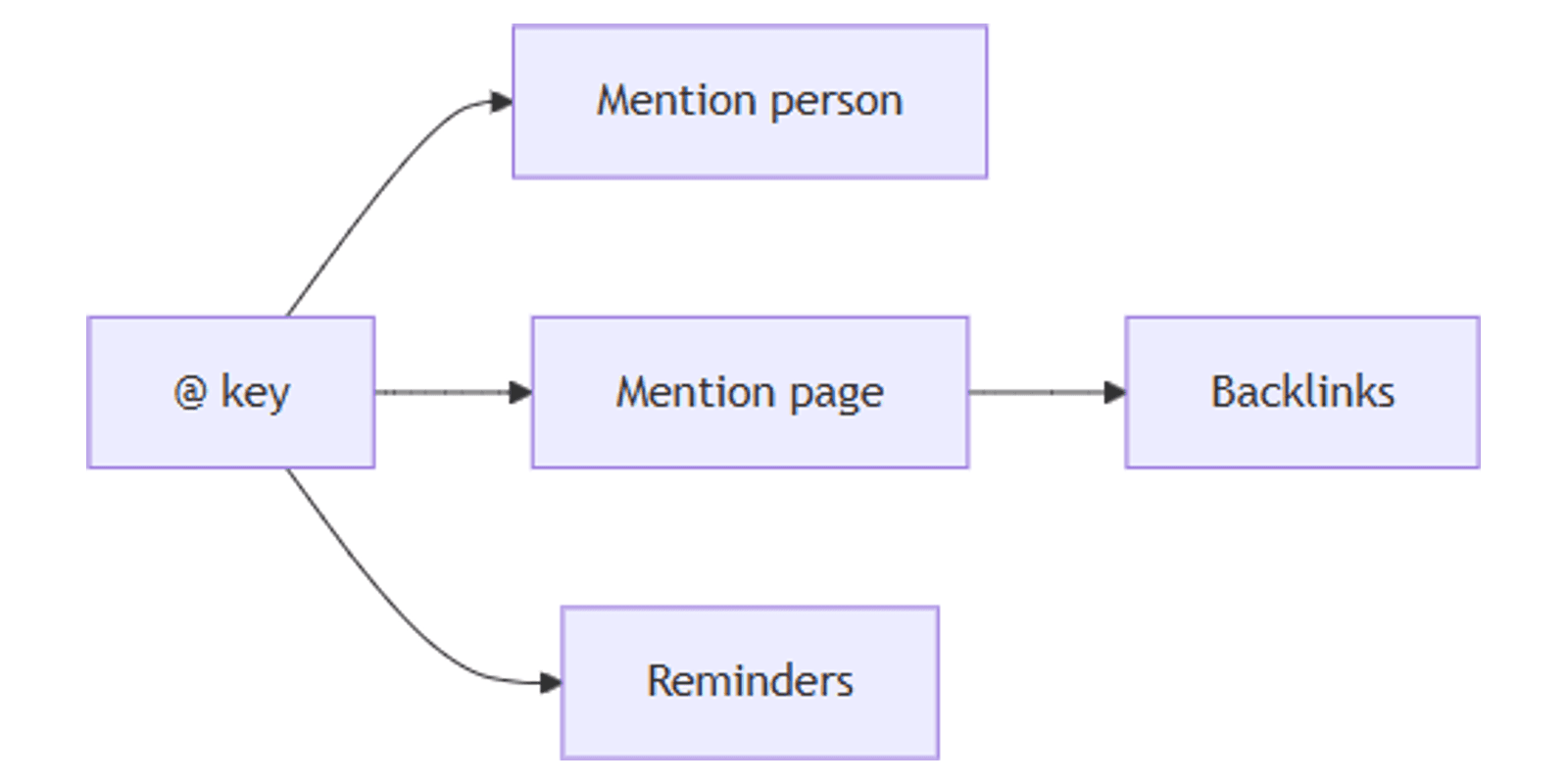
Notion @ mentions are the fastest way to notify a teammate, link another page, insert a date, or set a reminder - type @ and pick from the menu. Mentions keep collaboration inside the page instead of bouncing to chat.
This guide covers how to mention people and pages, how backlinks work, reminders, and how mentions differ from People properties. See Notion's collaboration help and links and backlinks for official details.
What can you @ mention?
Type @ (or [[ / + for pages) to open the mention menu. Common targets:
| Mention | What happens |
|---|---|
| Person | Teammate is notified in Inbox (and push on apps) |
| Page | Inline link to that page; creates a backlink |
| Date | Inline date stamp (e.g. today or a specific day) |
| Reminder | Type @remind then day/time - reminder lands in Inbox |
You can also @-mention people inside comments to pull them into a thread (collaboration help).
Mention a person
- Place the cursor in the page body or a comment.
- Type
@and start typing their name. - Select the person and press Enter.
They get a notification with a link to the mention. Unread mentions show a red badge count on Inbox in the sidebar.
Mentions vs People properties
| @ mention | People property | |
|---|---|---|
| Purpose | Notify / call out in content | Assign ownership on a row |
| Filter "My tasks" | No | Yes (contains Me) |
| Best for | "Please review this section" | Assignee, Owner, Reviewer |
Use People for structured assignment. Use @ when you need attention on specific text.
Mention a page (and backlinks)
- Type
@,[[, or+, then the page title. - Select the page from the menu.
The mention becomes an inline link with the page icon/title. Notion automatically adds a backlink on the target page - open backlinks under the title (or properties on database pages) (links help).
You only see backlinks for pages you can access. Private backlinks are labeled Private.
@ mention vs Link to page block
| @ mention | /link (Link to page) | |
|---|---|---|
| Looks like | Inline hyperlink | Block / sidebar-style link |
| Sidebar | Does not nest as a subpage | Shows under the current page like a subpage |
Use @ for references in sentences. Use Link to page when you want a navigational child in the sidebar.
Dates and reminders
@todayor@+ a date - insert an inline date.@remindthen day/time - create a reminder; it appears in Inbox.- In databases, reminders on Date fields offer more granular options (including time) via the date picker Remind control.
Customize notification preferences under Settings → My notifications.
Link to a specific block
Every block has an anchor URL:
- Hover the block → ⋮⋮ → Copy link to block.
- Paste in Notion, Slack, or email to jump to that exact spot.
Practical workflows
Review requests
- Write the section that needs eyes.
@the reviewer in a comment: "Please check the pricing table."- They open Inbox → jump to the comment.
Wiki cross-links
- @ mention related SOP pages in a procedure.
- Use backlinks on the target SOP to see what depends on it.
- Publish public docs with Notion Sites when ready.
Meeting follow-ups
- Meeting notes page with action items in a database.
- @ people in the notes; set Assignees via People on the tasks database.
@remind tomorrow 9amfor your personal nudge.
Tips
- Mention once, clearly - spam @ mentions train people to ignore Inbox.
- Pair @ with People - ownership in the property; narrative callouts in the body.
- Prefer @ over raw URLs for internal pages - you get icons and backlinks.
- Check access - mentioning a private page does not grant the reader permission.
FAQ
How do I notify someone in Notion?
Type @ and their name on a page or in a comment. They are notified in Inbox (Notion Help).
Do page mentions create backlinks?
Yes. @-mentioning a page creates a backlink on the target (links help).
Is @ the same as assigning a People property?
No. @ notifies; People assigns and filters. Use both when needed.
Conclusion
Notion mentions keep teams aligned - @ people for Inbox alerts, @ pages for linked context and backlinks, and @remind for personal nudges. Pair with People properties for ownership and synced blocks when the same text must live in multiple places.
For public sharing of linked docs, see Notion Sites.
Notion Templates
Start Selling Notion Templates - Start Now!