Notion Lock Page and Lock Database: Prevent Accidental Edits
Notion Lock page and Lock database stop accidental edits without stripping everyone’s edit rights from Share and permissions. Lock is a quick safeguard on stable docs and shared databases - different from choosing Can view / Can edit for each person.
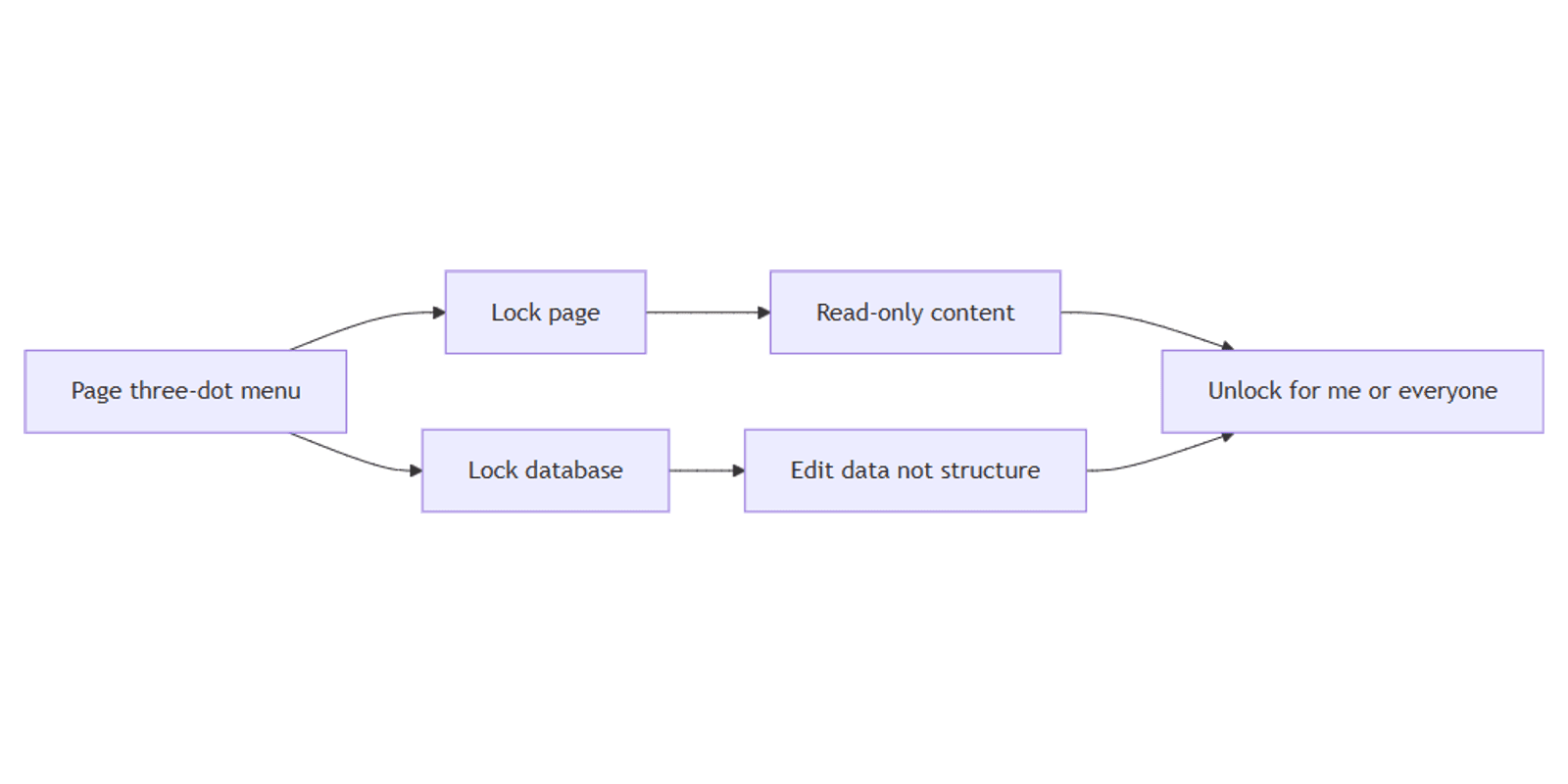
This guide covers locking a page (read-only until unlock), locking a database (edit data, not structure), Unlock for me vs Unlock for everyone, and the Locked breadcrumb label. Official help: Collaborate in a workspace.
Lock page vs Lock database vs permissions
| Control | What it does |
|---|---|
| Lock page | Page content becomes read-only for everyone (including you) until unlocked |
| Lock database | People can still edit row data, but not views, properties, or structure |
| Share permissions | Who can view, comment, edit, or share - permanent access levels |
Anyone with editing access can typically toggle locks on or off - treat Lock as a guardrail against accidents, not a security boundary. Use Share permissions (and verified wiki docs) when you need lasting access control (Notion Help).
How to Lock a page
- Open the page.
- Click ••• at the top of the page.
- Toggle on Lock page.
The page immediately becomes read-only for everyone until the lock is turned off (Notion Help).
Once locked, you will see Locked next to the page name in the top breadcrumb menu.
Use Lock page for policies, published SOPs, and final meeting notes you do not want casually rewritten - and pair important knowledge hubs with wikis and verified pages so “trusted” and “locked” stay clear.
How to Lock a database
For full-page databases, Lock database freezes structure while people keep editing data:
- Open the full-page database.
- Click ••• at the top right.
- Toggle on Lock database.
Immediately, everyone (including you) can edit the data the database contains, but not views or properties (Notion Help).
When a database is locked, Locked appears next to its title in the breadcrumb.
| Still allowed | Blocked while locked |
|---|---|
| Create / edit / delete row content (data) | Add, edit, or remove properties |
| Fill cells in a table view | Change views, filters layout as structure |
| Keep day-to-day entry flowing | Redesign the database schema |
Turn Lock database off from the same ••• toggle when you need to add a property or rebuild a view.
Unlock for me vs Unlock for everyone
To unlock a locked page or database:
- Select Locked next to the name in the top breadcrumb.
- Choose:
- Unlock for me - you can edit; the page/database stays locked for everyone else
- Unlock for everyone - removes the lock for the whole workspace
If you unlocked only for yourself, use Re-lock in the same breadcrumb menu to lock again quickly. If you unlocked for everyone, lock again via ••• → Lock page or Lock database (Notion Help).
| Option | Best for |
|---|---|
| Unlock for me | Quick owner fix without opening the floodgates |
| Unlock for everyone | Planned collaborative rewrite |
| Re-lock | After a personal unlock when the doc should stay protected |
When to use which
Lock page
- Final policies and handbooks
- Template masters you duplicate from (unlock when updating the master)
- Docs already marked current via verified pages
Lock database
- Shared CRMs and trackers where rows change daily but columns should not
- Team table views that break when someone renames a Status property
- Intake databases where contributors should not invent new views
Prefer Share permissions instead when…
- Guests should only view or comment - use Share and permissions
- Only owners should change schema - use Can edit content vs higher edit levels on databases
- You need lasting access rules, not a temporary lock toggle
Practical setups
Locked SOP page
- Finish the SOP → ••• → Lock page.
- Confirm Locked in the breadcrumb.
- Optionally verify the page in a wiki.
- Use Unlock for me when you need a revision, then Re-lock.
Locked CRM table
- Build properties and a default table view.
- ••• → Lock database.
- Team keeps editing deals/rows; schema stays put.
- Unlock when adding a new property.
Works with the CRM Dashboard when many people edit rows but only owners should change structure.
Tips
- Lock ≠ permissions - people with edit access can still unlock; set Share levels for real access control.
- Watch the breadcrumb - Locked is the quick status check.
- Prefer Unlock for me for small fixes on important pages.
- Lock databases after the schema is stable - not while you are still renaming properties.
- Verify + lock for knowledge bases - verification signals freshness; Share controls who can open the page.
FAQ
What does Lock page do in Notion?
It makes the page read-only for everyone until unlocked - including you (Notion Help).
What does Lock database allow?
People can edit data (rows / property values) but not change views or properties while the database is locked.
How do I unlock only for myself?
Click Locked in the breadcrumb → Unlock for me. Use Re-lock when finished.
Is Lock the same as Can view permission?
No. Lock is a temporary edit guard. Share permissions set who can view, comment, edit, or share.
Conclusion
Use Lock page for read-only docs and Lock database when teammates should edit rows but not schema. Unlock from the Locked breadcrumb with Unlock for me or Unlock for everyone. For lasting access levels, use Share and permissions; for trusted docs, pair locks with wikis and verified pages; for everyday row work under a locked schema, lean on table view.
Notion Templates
Start Selling Notion Templates - Start Now!